The Workflow Chaos Problem
Free workflow organization with AI-powered writing tools. Organize prompts, rewrite text in multiple styles, compose professional emails, and optimize AI chats. Unlock premium AI features for $3.99 one-time. Everything stays private on your Mac.
Organize code snippets, API documentation, and debugging workflows. Keep your entire development workflow accessible and searchable.
Streamline your content workflow with organized prompts, templates, and creative assets. Everything you need, instantly accessible.
Manage SQL queries, Python scripts, and analysis workflows in one organized system. Your data workflow, optimized.
Organize design workflows, color palettes, and creative assets. Streamline your entire design process.
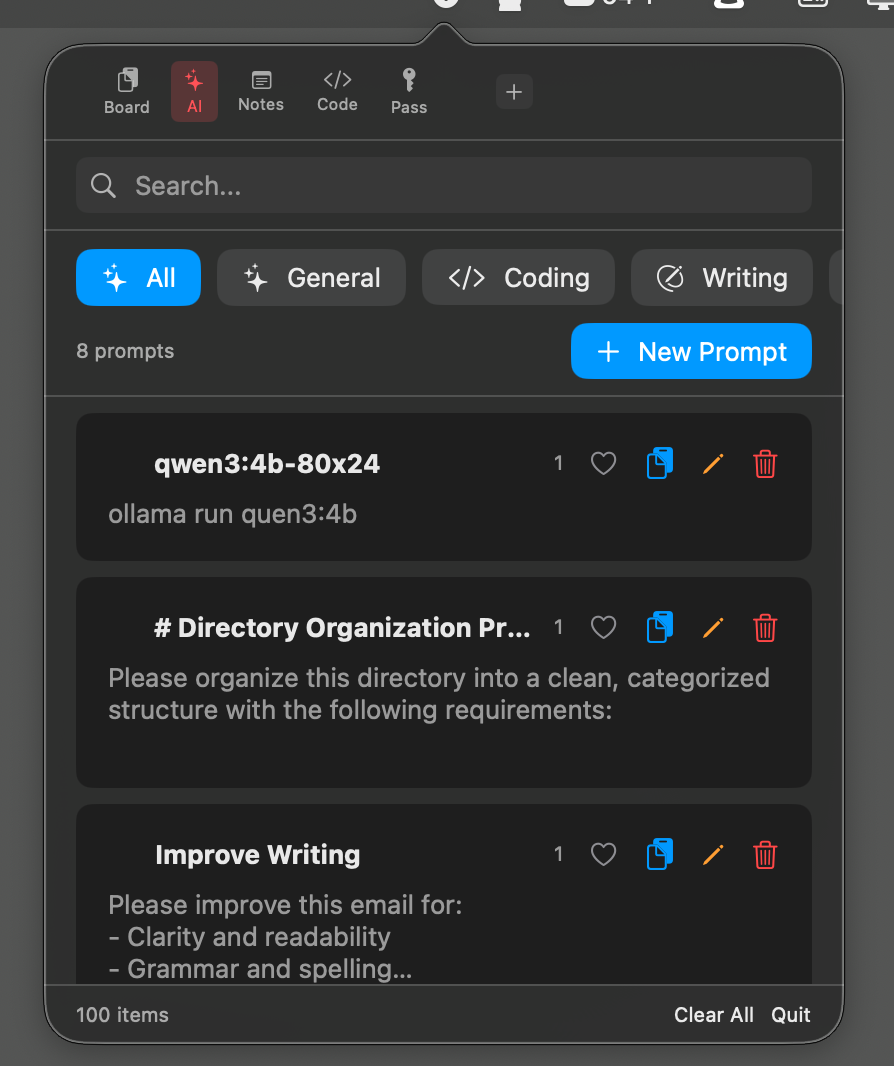
Unlock powerful AI writing tools powered by Apple Intelligence. Rewrite text in multiple styles, compose professional emails, optimize AI prompts, and generate image prompts - all processed locally on your Mac.
Organize and manage all your AI prompts in one place. Categorize, tag, and instantly access your best prompts across ChatGPT, Claude, and all AI tools.
Chat directly with AI models right in Vspot. Create custom chat tabs with specialized system prompts for different workflows. Supports Ollama, Groq, and LM Studio.
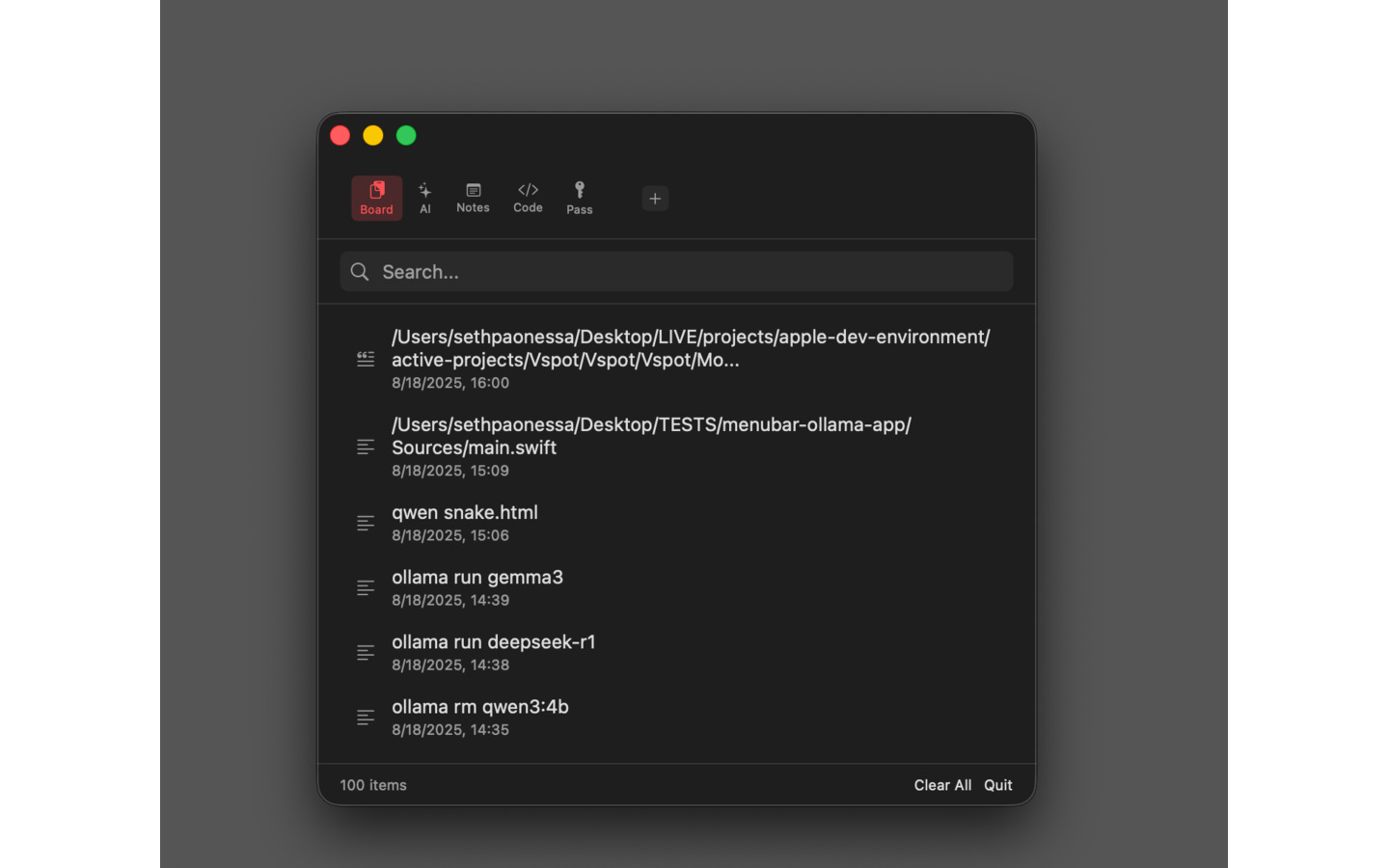
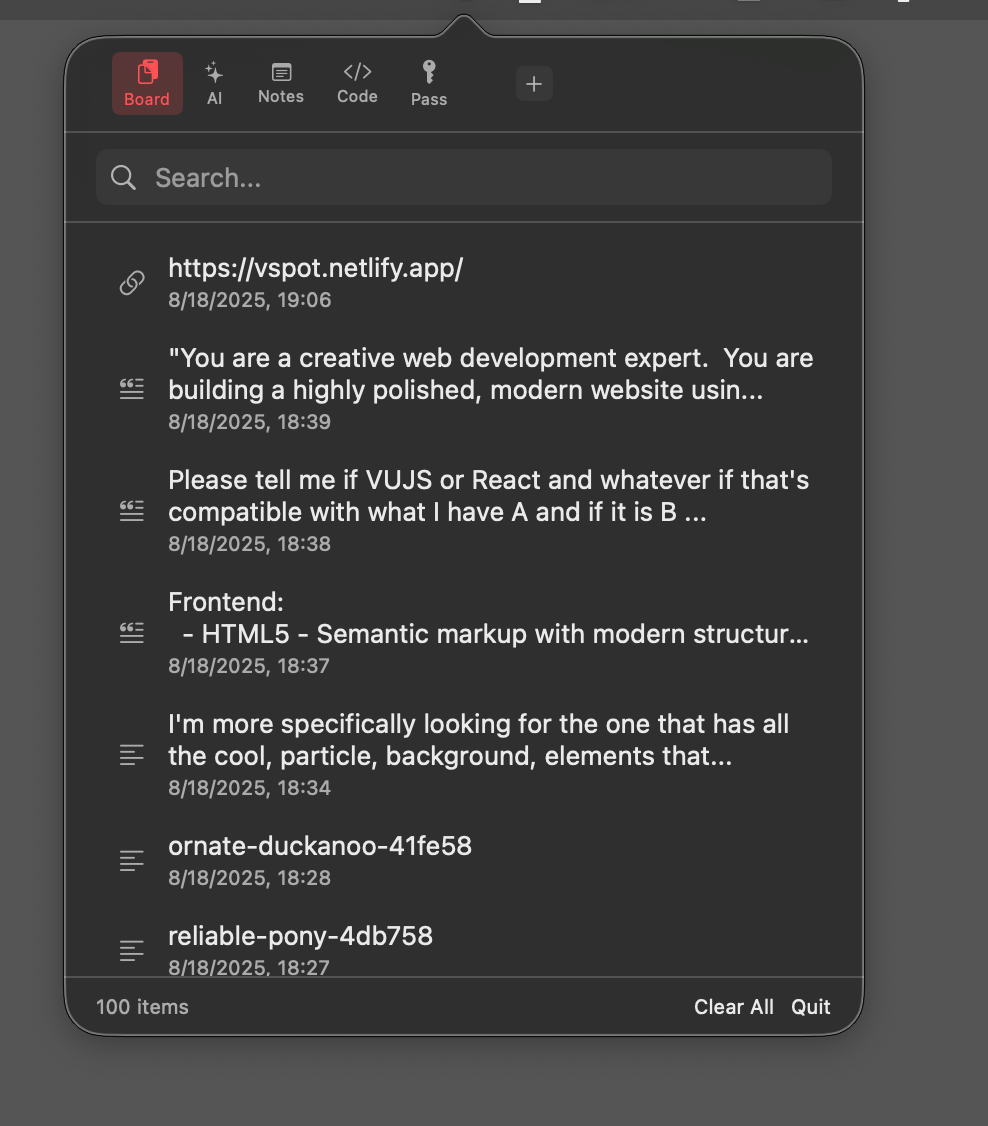
Automatically capture and organize everything you work with. Code snippets, text, URLs, and images are intelligently categorized into your workflow.
Find anything in your workflow instantly. Search across all your content, prompts, notes, and snippets with intelligent fuzzy matching.
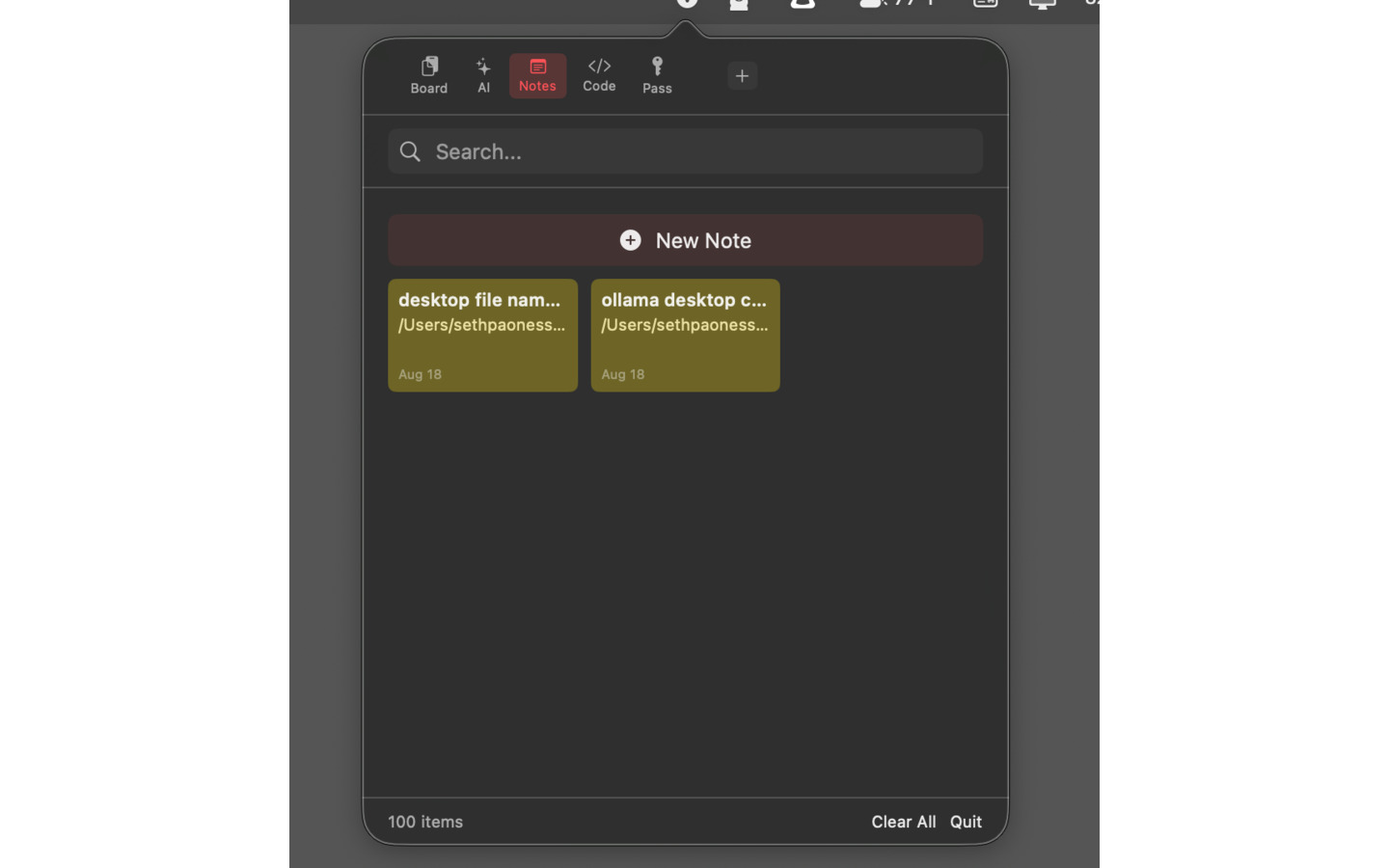
Color-coded notes integrated into your workflow. Perfect for ideas, reminders, and content that needs to be easily accessible.
Build your own organizational structures. Create custom workflows for projects, clients, or any process that fits your needs.
Your data stays on your machine. No cloud storage, no data mining, no privacy concerns. Just pure productivity.
Get Vspot from the Mac App Store in seconds. One-time purchase, lifetime access.
Vspot automatically organizes everything you copyβprompts, code, notes, and more.
Find anything instantly with lightning-fast search. Your workflow, perfectly organized.
β¨ Core workflow management
β¨ AI-powered text tools β’ Lifetime access
"Game changer for my entire workflow. The AI chat integration and new writing tools (text rewriting, email composer) mean I can optimize prompts and create professional content right in the app. Everything stays organized and private. Best upgrade ever!"
"Finally! A workflow tool that actually understands how I work. The AI chat tabs and new writing tools let me create specialized assistants and rewrite content in multiple styles. Saves me hours every week and makes me look like a pro."
"The search is lightning fast and the custom workflows let me organize everything perfectly. Plus, knowing my data stays local gives me peace of mind."
"Best investment in my productivity. The free core features are amazing, and the AI writing tools I unlocked are worth every penny. I use it dozens of times daily. The workflow organization is exactly what I needed but didn't know existed."
"I've tried every productivity tool out there. Vspot is the only one built for modern workflows. Smart organization works flawlessly."
"Clean interface, powerful features, and actually respects my privacy. This is how Mac apps should be built. Highly recommended!"
Vspot is a complete workflow management solution designed for the AI era. While other tools focus on single tasks, Vspot helps you organize your entire workflowβAI prompts, content, notes, and moreβwith intelligent categorization, custom workflows, and lightning-fast search.
Freemium model: Download and use core features (workflow organization, prompt library, notes, search) completely free! Unlock AI-powered writing tools with a one-time purchase of $3.99. No subscriptions, no hidden fees. Buy once, own forever with free lifetime updates.
No! All your data stays 100% local on your machine. We don't collect, store, or transmit any of your workflow content or prompts. Your privacy is our priority.
Vspot includes built-in AI chat functionality that lets you create custom chat tabs with specialized system prompts. You can chat directly with AI models (Ollama, Groq, or LM Studio) right in Vspot, perfect for optimizing prompts, getting help with workflows, or creating specialized AI assistants for different tasks. Each chat tab maintains its own conversation history and can be searched and exported.
Unlock premium AI writing tools for $3.99 one-time: Smart Text Rewriting (Professional, Casual, Formal, Concise, Friendly, Persuasive styles), Email Composer (Business, Follow-up, Thank you, Introduction, Apology, Request templates), Prompt Optimizer for ChatGPT/Claude/Gemini, Image Prompt Generator for Midjourney/DALL-E/Stable Diffusion, plus Grammar Fix, Summarize, and Expand Text tools. All powered by Apple Intelligence, processed 100% on-device for complete privacy.
Vspot requires macOS 15.0 (Sequoia) or later for core features. AI-powered writing tools (text rewriting, email composer, prompt optimization) require macOS 26+ with Apple Intelligence. The app works perfectly on both Intel and Apple Silicon (M1, M2, M3, M4) Macs.
Yes! Vspot works with ChatGPT, Claude, Gemini, Copilot, and any other AI tool. Plus, it includes built-in AI chat with support for Ollama (local), Groq (web API), and LM Studio (local). It organizes your workflow content universally across all applications and tools.
Vspot is incredibly lightweight, typically using less than 50MB of disk space. Your workflow content and prompts are stored efficiently in a local database.
Currently, Vspot stores data locally for privacy. Multi-device sync via iCloud is planned for a future update based on user feedback.
Core Vspot features are completely free to use. AI-powered writing tools are unlocked with a $3.99 one-time in-app purchase. You can try the core app first to see if it fits your workflow, then upgrade to AI features when ready. Apple offers refunds within their standard return window if you're not satisfied.
We'd love to hear from you. Whether you have a feature request, found a bug, or just want to say hello, drop us a line.